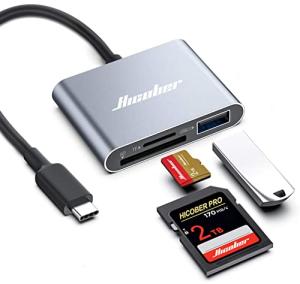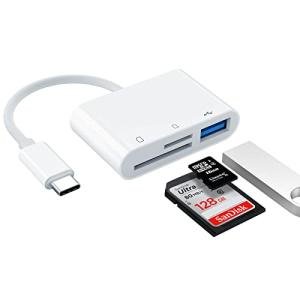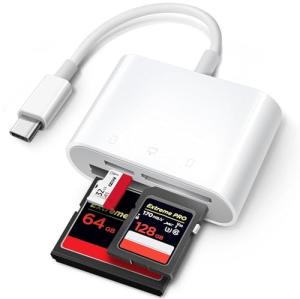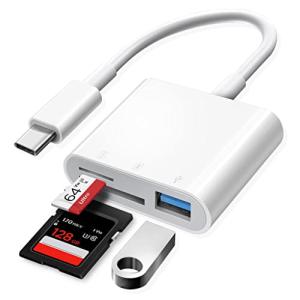
If you work with high-resolution photos, 4K video, or simply manage large data sets, you know the truth: your SD card is only as fast as the reader you plug it into. Plugging a modern UHS-II memory card into an old USB 2.0 reader is like driving a race car in a traffic jam—you’re bottlenecking its potential speed.
As tablets, laptops, and even phones adopt the versatile USB-C standard, finding a card reader that delivers fast, reliable data transfer has become essential for photographers, drone pilots, and content creators.
In this expert-curated list, we dive into the eight best USB-C card adapters available in 2025, prioritizing the specific features that DongleLife knows you need: speed, dual-card capability, and universal compatibility with everything from your MacBook to your Android phone.
Section 1: The Performance & Pro-User Picks (Speed First)
For photographers, filmmakers, and anyone transferring huge file sizes, speed is non-negotiable. These readers are built to remove the bottleneck between your memory card and your USB-C port.
#1. USB-C UHS-II High-Speed Card Reader (The Fastest Pro Grade)
If you own a professional camera that uses UHS-II SD cards (identifiable by the two rows of pins), you must use a UHS-II compatible card reader to achieve maximum speed. This specialized reader is essential for accessing transfer rates up to 312 MB/s, which is critical for offloading 4K/8K video files quickly. The UHS-II reader is the single best investment for cutting down your post-production workflow time.
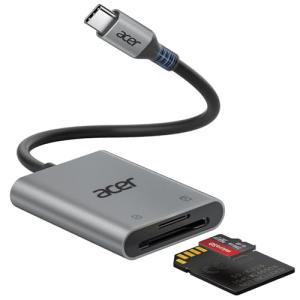
Acer High-Speed USB-C SD Card Reader
Transfer your photos and files quickly and easily with this handy USB-C SD card reader
Product information
$13.99
Product Review Score
4.34 out of 5 stars
27 reviewsProduct links
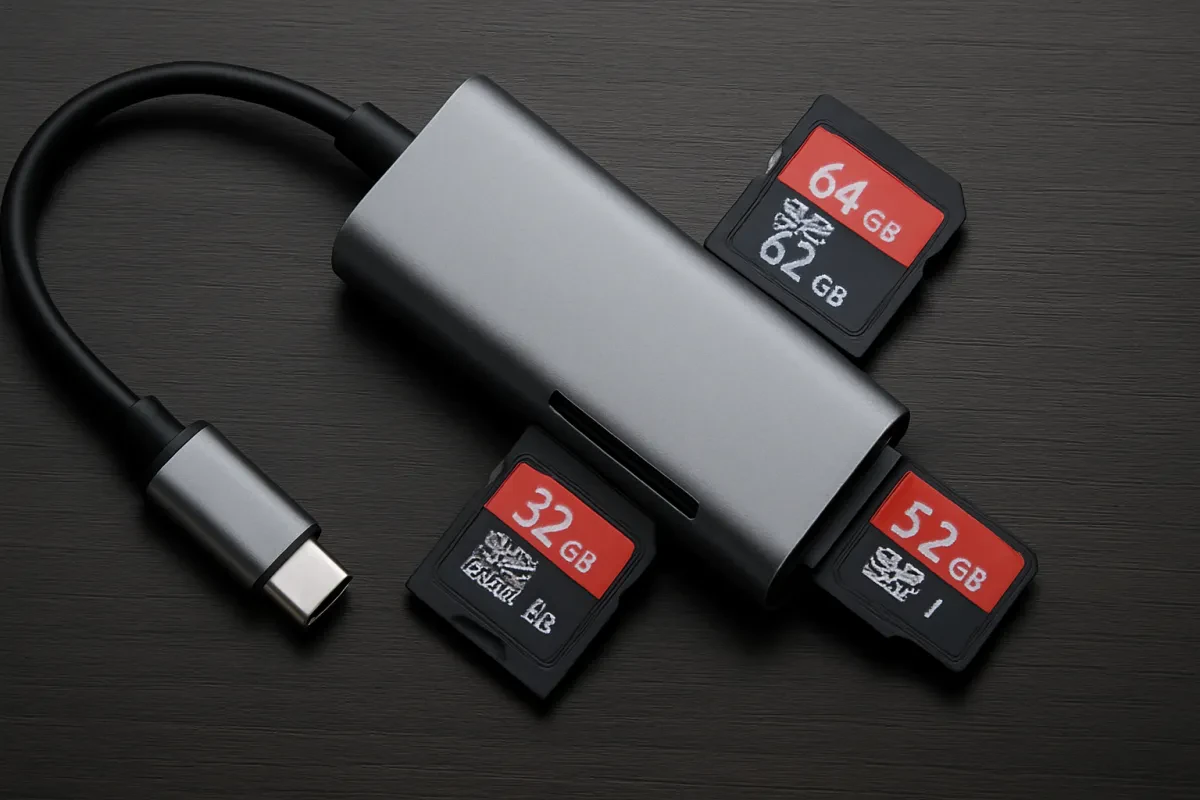
#2. USB-C Dual-Slot Reader (Simultaneous Transfer King)
This is the ultimate efficiency tool for anyone using both formats (such as a camera using a full-size SD and a drone using a Micro SD). A true dual-slot reader allows you to insert and read both a standard SD and a Micro SD card simultaneously. This saves time and simplifies file management when juggling media from multiple devices.
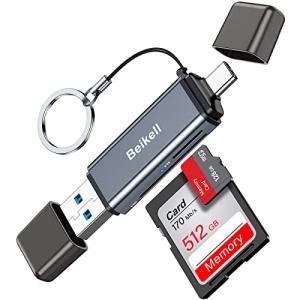
Beikell Dual USB-C Memory Card Reader
Experience lightning-fast data transfer and seamless compatibility with all your USB-C devices
Product information
$15.99 $8.78
Product Review Score
4.31 out of 5 stars
27 reviewsProduct links
Section 2: The Multi-Use & Compatibility Champions
These readers excel at versatility, compatibility across various devices, and convenience—perfect for users of Mac, PC, and Android devices.
#3. USB-C & USB-A Multi-Connector Reader (Universal Desktop Adapter)
The most versatile adapter for any setup. This unit features a built-in USB-C connector on one end and a traditional USB-A 3.0 connector on the other. This makes it compatible with older PCs, USB hubs, and newer devices like MacBooks or Android phones. It ensures you only ever need one tool for data transfer, regardless of the port type.
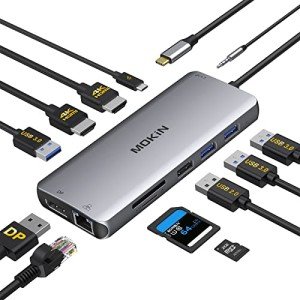
MOKiN 12-in-1 USB-C Dock with Dual Monitor
Expand your device’s capabilities with this all-in-one USB-C dock that easily connects multiple peripherals and displays
Product information
$58.83
Product Review Score
4.11 out of 5 stars
24 reviewsProduct links
#4. Dedicated USB-C Micro SD Reader (The Mini Laptop Flush Fit)
Perfect for MacBooks and thin Windows laptops, these compact readers are designed to fit flush into the USB-C port, often without a dangling cable. While it only reads Micro SD cards (TF cards), its miniature size makes it ideal for permanent attachment or effortless portability—a true minimalist dongle.
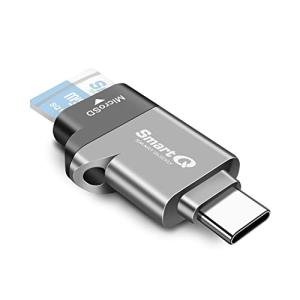
Midnight Grey MicroSD Card Reader with USB-C
Connectivity for Lightning-Fast Data Transfer
Product information
$12.99
Product Review Score
4.22 out of 5 stars
56 reviewsProduct links
#5. Dedicated USB-C SD Card Reader (The Simplicity Pick)
For users who only ever need to read full-size SD cards (like from a standard DSLR or mirrorless camera), a single-slot USB-C reader is the simplest, most robust option. It eliminates the distraction of extra ports, often leading to a smaller, more durable housing with a focus on high-speed USB 3.0/3.1 data transfer up to 5 Gbps.
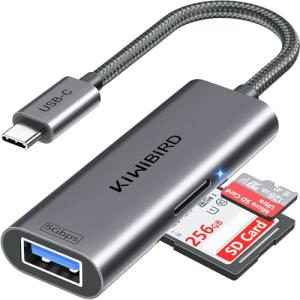
KiwiBird USB-C SD Card Reader- 4 in 1
Effortlessly Transfer SD Data with the KiwiBird 4-in-1 USB-C Card Reader
Product information
$6.99
Product Review Score
4.77 out of 5 stars
32 reviewsProduct links
Section 3: The Convenience & Mobile Essentials
These adapters prioritize form factor and the unique connectivity needs of mobile devices and multi-card users.
#6. USB-C Dual-Use OTG Card Reader (Android & Tablet Essential)
OTG (On-The-Go) functionality is critical for Android phones and tablets. These readers typically include a USB-C plug and a standard USB-A slot, allowing you to plug a Micro SD card directly into your phone to view, edit, or manage files without needing a laptop. This is essential for creators editing on the go with apps like Adobe Lightroom Mobile.
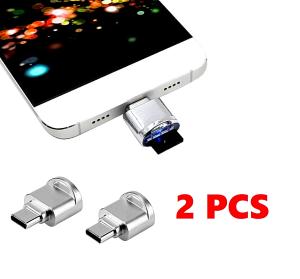
Mini Type-C Memory Card Reader OTG Adapter
Effortlessly Transfer Photos and Videos with our Mini Type-C Memory Card Reader OTG Adapter
Product information
$12.25
Product Review Score
4.46 out of 5 stars
19 reviewsProduct links
#7. USB-C Adapter with Multiple Slots (The CF, XQD, MS Hub)
If your workflow involves legacy or professional camera formats like CompactFlash (CF), XQD, or Memory Stick (MS), you need a multi-slot USB-C hub reader. These units consolidate up to 4 or 5 different card types into one USB-C device, serving as a comprehensive data transfer center for serious professionals.

3-in-1 USB-C Card Reader for CFexpress & SD
Easily transfer photos and videos from your camera to your devices in no time
Product information
Product Review Score
4.76 out of 5 stars
29 reviewsProduct links
#8. Keychain/Lanyard USB-C Reader (The Ultimate Portable Adapter)
Portability is key in the memory card adapter category. These tiny readers are built with a keychain loop or a highly durable casing, ensuring they can be clipped to a bag or zipper and survive daily abuse. They may not offer UHS-II speed, but their resilience and ability to plug directly into a laptop's USB-C port make them invaluable travel companions.
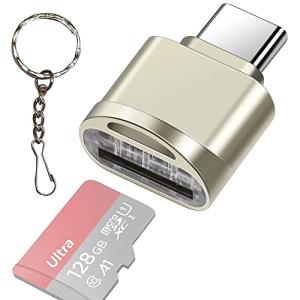
Leizhan USB-C Micro SD Card Reader with Keychain
Conveniently Access Your Micro SD Card on the Go with Leizhan's USB-C Reader and Keychain!
Product information
$7.99
Product Review Score
4.14 out of 5 stars
82 reviewsProduct links
Maximizing Speed: The Truth About UHS-I vs. UHS-II Card Readers
If you use a high-end camera, drone, or action cam, you likely own a high-speed SD card. However, your transfer speed to your computer is severely limited if your USB-C adapter doesn't match the card's bus interface. This is the single biggest bottleneck for photographers and videographers.
Understanding the UHS Bottleneck
The secret lies in the tiny pins on the back of your card. UHS (Ultra High Speed) is the bus interface protocol that determines the maximum theoretical speed of the card:
-
UHS-I: Features a single row of pins and has a maximum theoretical transfer speed of 104 MB/s. Most consumer-grade readers are limited to this speed.
-
UHS-II: Features a second row of pins (utilizing an extra data lane) and boosts the maximum transfer speed to 312 MB/s. This is essential for professional 4K/6K video and burst-mode photography.
-
UHS-III: The newest spec, which can reach speeds up to 624 MB/s, but is not yet widely integrated into consumer readers.
If you plug your faster UHS-II card into a slower UHS-I adapter, your transfer speed will instantly be bottlenecked to the lower UHS-I maximum of 104 MB/s. To utilize your UHS-II card's full potential, you must use a USB-C adapter that explicitly supports the UHS-II bus protocol.
Troubleshooting Mobile: Why Won't My USB-C Card Reader Work on Android?
While card readers are typically plug-and-play on Mac and Windows, connecting them to an Android phone or tablet often leads to frustration. The core problem is usually a combination of power, file systems, and software settings.
The Most Common Fixes
-
Check for Power Issues (Insufficient OTG): This is the most frequent culprit. The SD card reader may not be recognized because the phone isn't delivering enough power via the USB On-The-Go (OTG) protocol to run the reader's controller chip. If the reader's LED light flickers and disappears, the device lacks the power to support the reader.
-
Enable File Transfer Mode Manually: After plugging in the adapter, check your phone's notification shade. Android often defaults the USB connection to "Charge Only." You must manually select "File Transfer" or "MTP" mode for the phone to recognize external storage.
-
Inspect the USB-C Port: Clean the port with compressed air or a soft cotton swab dipped in isopropyl alcohol. Lint or dirt can prevent a proper physical connection and block the necessary power transfer.
-
Verify File System Compatibility: Most Android phones natively support FAT32 and exFAT file systems. If your card was formatted using NTFS (common on Windows), your phone may see the card but be unable to read the files, causing error messages.
-
Use a Third-Party File Manager: Occasionally, the phone's native file manager app lacks the permissions or algorithms to properly read external USB devices. Downloading a powerful third-party app can help, but sometimes checking Developer Options for an OTG toggle is also required on older Android versions.
The Verdict: The Fastest Way to Transfer Data is the Right Adapter
Transferring high-resolution files shouldn't involve long waits or compatibility headaches. The data is clear: your transfer speed is only as fast as the card reader you plug in. By moving to a USB-C card adapter, you eliminate bottlenecks common with older USB 2.0 or 3.0 Type-A readers.
For the professional photographer or videographer, prioritize the UHS-II High-Speed Reader (Item #1) for maximum transfer speeds up to 312 MB/s. For general users with multiple devices (MacBook, Android phone), the USB-C & USB-A Multi-Connector Reader (Item #3) offers the best combination of versatility and speed up to 5 Gbps.
Don't let your data sit on a card. Upgrade your workflow with a USB-C adapter built for speed.
Interested in starting a profitable niche site? We use the software reviewed in our definitive guide: The Best E-commerce CMS for Affiliates
Ready to Upgrade Your Data Workflow?
Click below to explore the categories and find the top-rated SD and Micro SD card readers featured in this guide: